
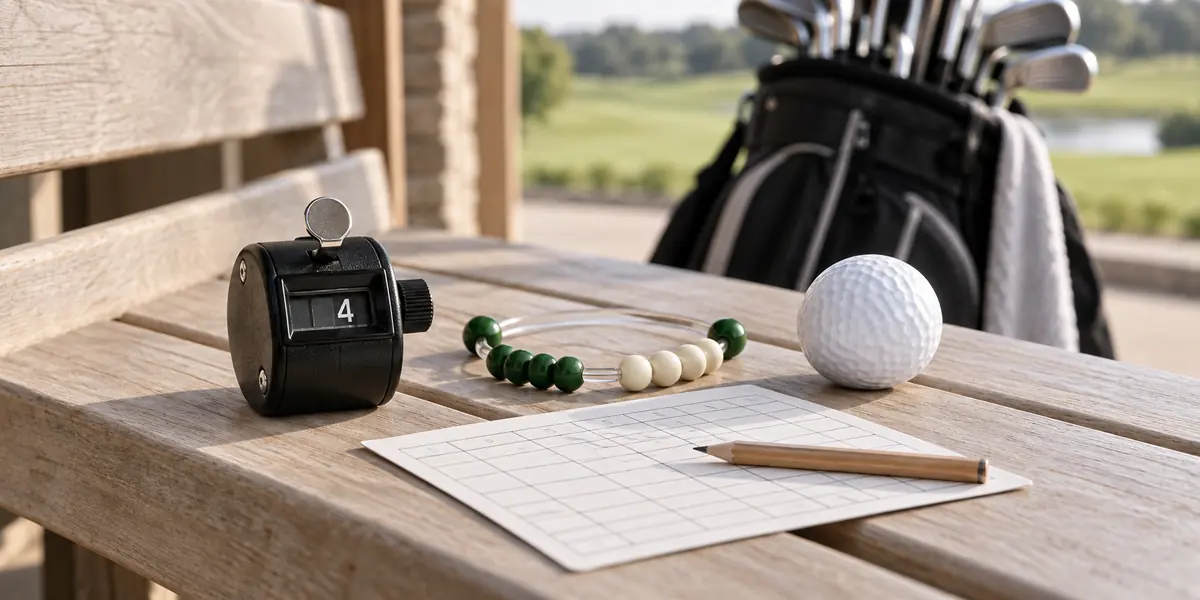
Golf stroke counters are memory aids: each holds the number you record while you play. It can make a consistent scoring routine easier, but it cannot detect every stroke, decide a penalty or guarantee a lower score. Its value depends on recording the right number and checking it at the end of each hole.
This guide explains how to use a counter and how to transfer the result into your score record. For a detailed comparison of bead, clicker and glove-mounted formats, read our golf stroke counter comparison.
What a stroke counter can and cannot do
| Task | How a counter helps | What remains your responsibility |
|---|---|---|
| Remember the current count | Holds a manually entered number | Record each relevant stroke correctly |
| Include penalties | Can hold a corrected total within its range | Determine which penalty applies under the Rules |
| Keep scores by hole | Some designs have separate hole positions | Use the correct hole and verify the entry |
| Review the round | Provides numbers you can transfer to a scorecard | Keep any separate putt, penalty or practice notes |
| Improve performance | Supports a more consistent record | Practice and coaching; no automatic score reduction |
A simple routine: record, check, transfer
Record consistently
Use a repeatable point after each stroke to advance a running counter without distracting another player.
Check the hole total
Reconcile the number with the strokes made and any applicable penalties before moving on.
Keep a lasting record
Write the confirmed score in the correct hole or store it in the intended hole-by-hole control.
How to use a running stroke counter
- Before play, read the instructions and check the available number range, correction method and reset operation.
- Set the counter to its starting position before the hole. Check that carrying or clipping it does not advance it accidentally.
- After each stroke, advance the count once at a consistent moment. Do not count a practice swing as a played stroke.
- Include any applicable penalty strokes correctly. If unsure of the ruling, resolve it under the competition procedures rather than guessing from the device.
- At the end of the hole, confirm the score and record it in the right place.
- Reset a single-hole running counter only after the score has been transferred. A multi-hole scorer may use a different procedure.
Worked example: keep strokes and penalties clear
Suppose a player makes a tee shot, an approach, a chip and two putts, with no penalties. The hole score is five. A running counter used for every stroke should finish on five. This is a counting example, not a recommended score target.
| Action | Running count |
|---|---|
| Tee shot | 1 |
| Approach | 2 |
| Chip | 3 |
| First putt | 4 |
| Second putt completes the hole | 5 |
If a separate example has five strokes made and an applicable one-stroke penalty, the total is six. Be clear whether your device already includes the penalty before adding it to the scorecard; adding it twice is another possible error. Penalties differ by situation and format, so the counter itself cannot decide them.
A running clicker and an 18-hole scorer are different
A running counter is usually used to track the current count. An 18-hole scorer provides separate positions for hole scores. Some users update a hole control as they play; others enter the confirmed hole total at the end. Follow the selected device’s instructions and adopt one consistent method.
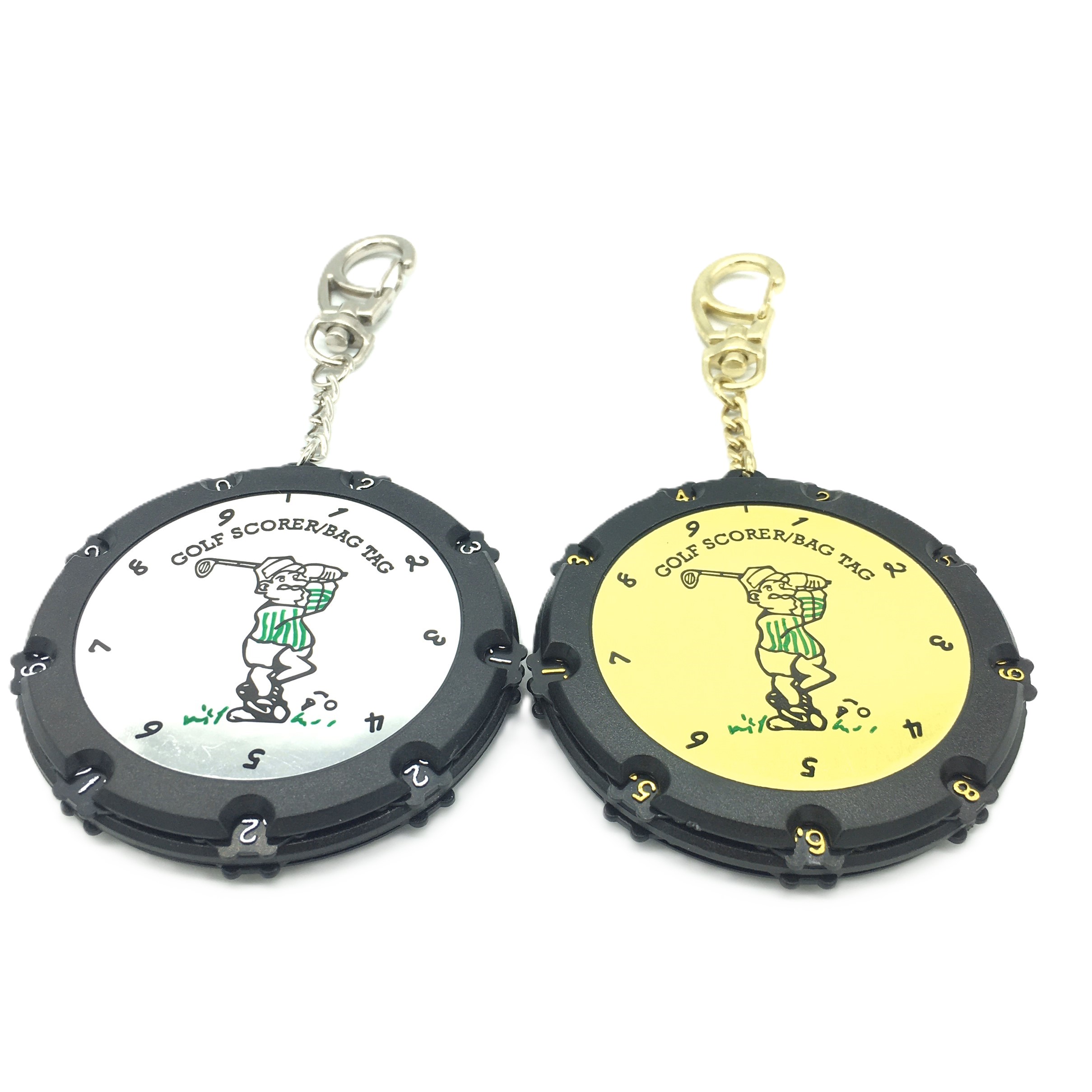
Round 18-hole manual scorer
Nine number controls on each face cover holes 1–9 and 10–18. Check orientation when turning it over and how each control advances.
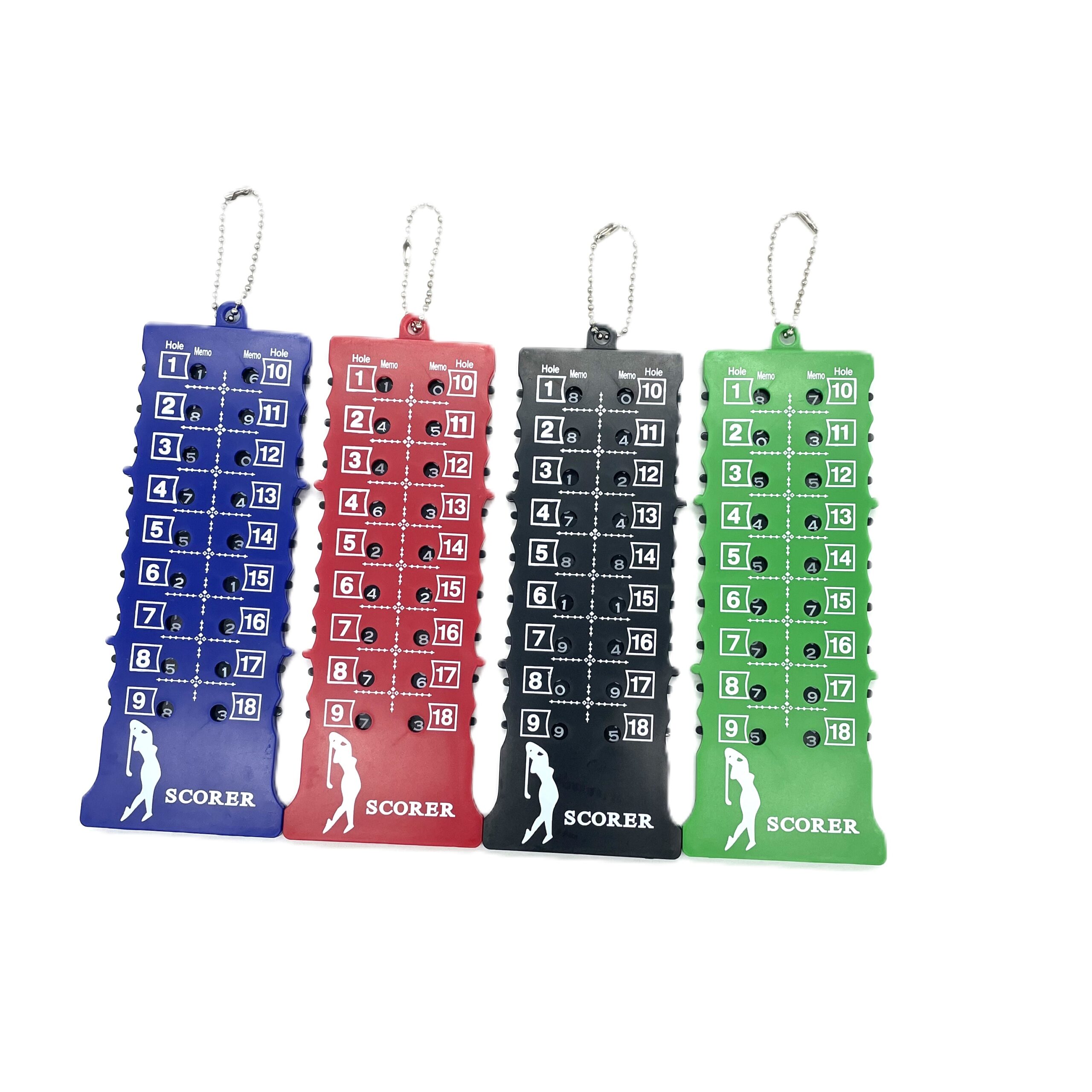
Long-format 18-hole scorer
ABS body with independent controls, listed at 165 × 60 × 7 mm and 45 g. Check number visibility, attachment and the correct hole position.
These PASSEN products are manual hole-score records. Their listings do not establish a universal reset sequence or unlimited number range. Confirm the sample’s instructions before writing a usage insert or demonstrating it to customers. The banner shows generic counter concepts, not these exact models.
Avoid common recording mistakes
| Mistake | A more reliable habit |
|---|---|
| An accidental click while carrying | Check the display and attachment before the next hole |
| Recording a stroke twice | Use one consistent moment to update the counter |
| Forgetting whether a penalty was included | Resolve and record the correction clearly before transferring the total |
| Entering a score in the wrong hole | Read the hole label before adjusting its control |
| Resetting before writing the score | Transfer first, then reset when the device instructions require it |
| Exceeding the display range | Keep the full score separately; do not wrap the number and treat it as the total |
Counter, scorecard and competition responsibilities
The R&A Rule 3.3b explains scorecard responsibilities in stroke play. A personal counter does not replace the required checking, certification and return of the scorecard. Follow the event’s scoring procedure even if your device has a separate position for every hole.
The R&A Rule 4.3 addresses equipment use. Recording information and using additional functions are different matters. Do not assume that a multifunction electronic device is permitted for every use merely because it includes a score counter; check the applicable Rules, Local Rules and committee guidance.
Who may find a counter useful?
A golfer who frequently reconstructs a hole from memory may appreciate a physical reminder. Beginners can use a counter while learning a consistent scoring routine; other players may prefer a scorecard or an app. Try the method that can be used reliably without interrupting play.
Test readability and operation in the normal carrying position. Check access with the glove you wear, whether beads stay where placed and whether a clip or chain is comfortable on the chosen bag point. A mechanical design needs no battery, but moving parts, cords and attachments can still wear or become damaged.
Use the record for review, without expecting automatic improvement
A total by hole can help you spot holes that repeatedly require attention. If you want to understand why, record putts, penalties or other selected observations separately after the hole or round as appropriate. A single total does not tell you which club or decision caused it.
Avoid changing the meaning of the count midway through a round. If you use it for all strokes on one hole and only putts on the next, the numbers are not directly comparable. Keep the purpose clear and review several rounds rather than assigning a performance claim to one favorable result.
For clubs, shops and custom programs
Choose the display layout, number range and attachment before selecting a logo. A short instruction card should match the actual controls and explain how to record, correct and reset. Test it with someone unfamiliar with the device, using a sample round rather than assuming the mechanism is self-explanatory.
Explore the custom golf stroke counter range and identify the model and contents in your brief. Standard PASSEN MOQ is 200 per SKU; logo, color or packaging customization starts at 500 per SKU. Sets count as sets and different SKUs do not combine to meet the minimum. Confirm the selected version, artwork, packing, destination and order schedule.
Frequently asked questions
Does a manual counter detect strokes automatically?
No. It displays what you enter. A missed or accidental entry needs to be corrected by the user.
Do penalty strokes count in the hole score?
The score includes applicable penalty strokes. Determine the correct penalty under the Rules and make sure it is included once, not omitted or counted twice.
Should I reset after every hole?
For a running single-hole counter, transfer the score before resetting. Multi-hole devices work differently; follow the instructions for the selected model.
Can a counter replace the official scorecard?
No. Follow the event’s scorecard checking, certification and return requirements even when using a personal counter.
Will a counter lower my handicap?
It may help maintain a consistent record, but it does not guarantee lower scores or a particular handicap improvement.
Which format should I choose?
Compare running count versus hole-by-hole storage, readable number range, correction method, attachment and handling. Try the actual controls before deciding.
Discuss your project
Send the model, quantity per SKU, artwork, packaging and destination for review.