
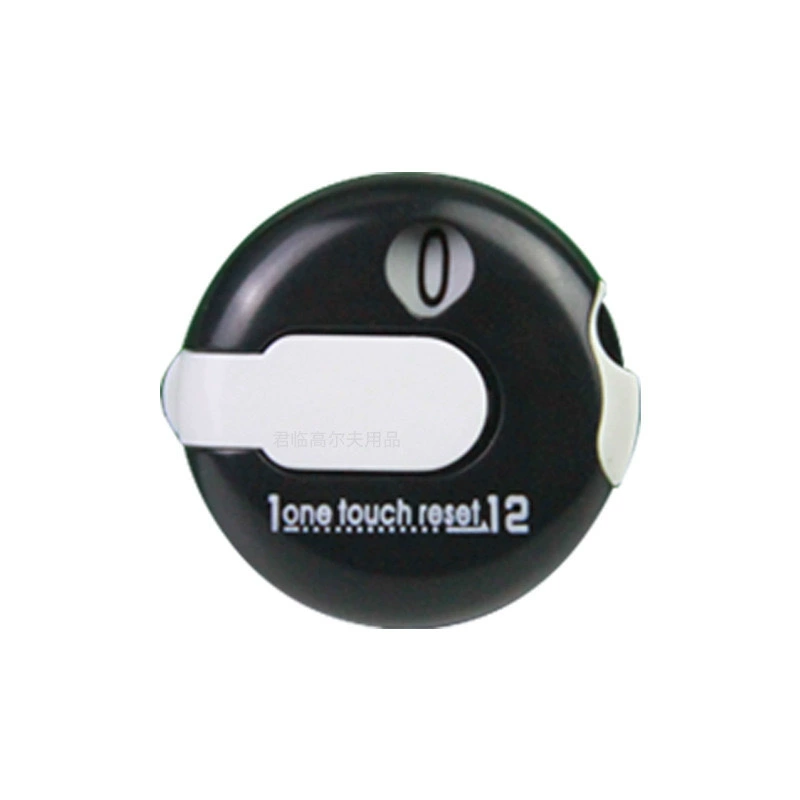
Choose the components before you price the combination.
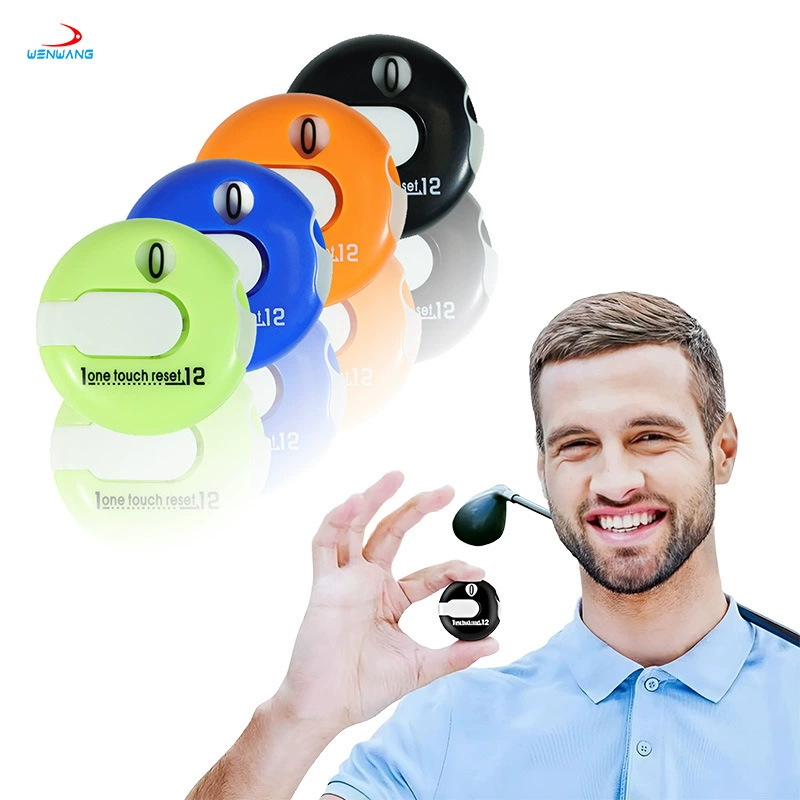
Custom golf hat clip score counter set: choose the version, artwork and packing that fit your buying program. This configurable accessory concept combines a manual score counter with hat clip marker and ball liner options. The key purchasing decision is what the selected set actually contains. Start with a component list, then review counter operation, the intended attachment and colors. A photograph may show several options, so the quotation should identify the exact combination supplied as one set.
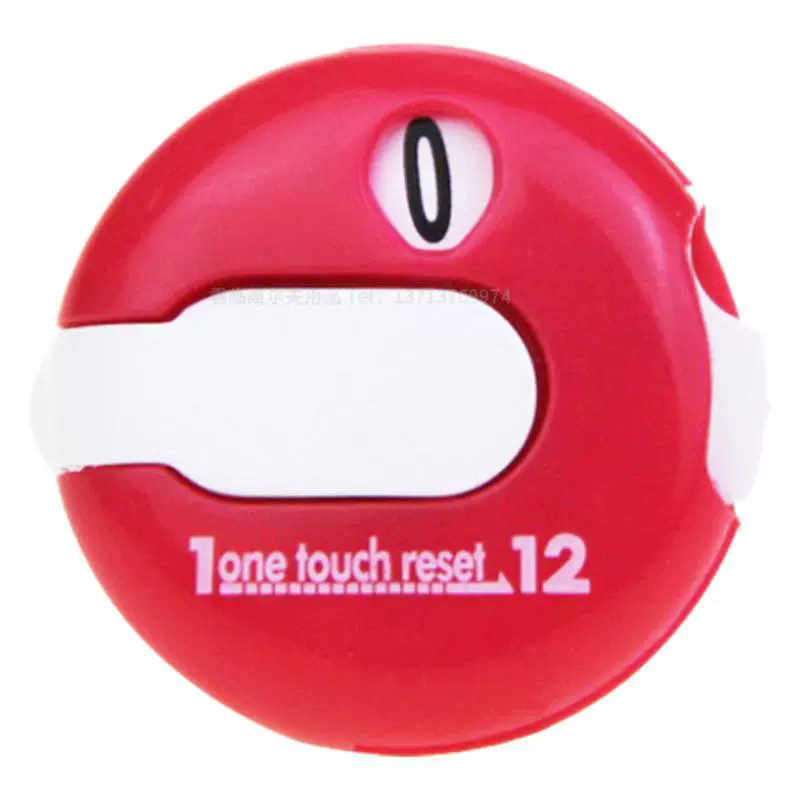
Manual scoring component
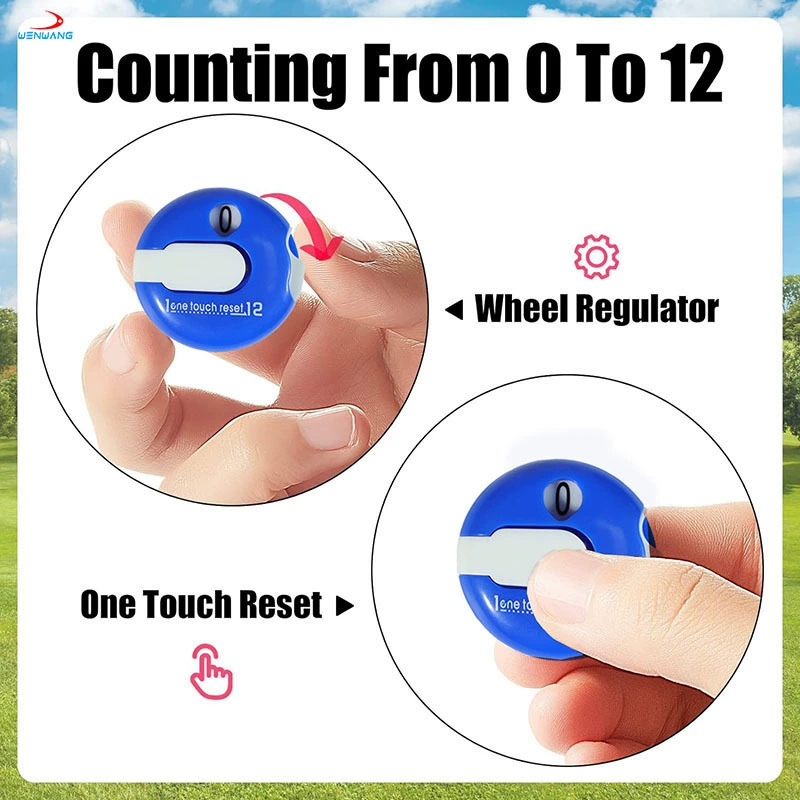
Review how the counter advances and resets on the selected model. Confirm its display range before preparing instructions or customer-facing packaging.
Optional accessory combination
Available components include a magnetic hat clip ball marker and a golf ball liner. Confirm which components are required and how many belong in each set.
Multiple color references
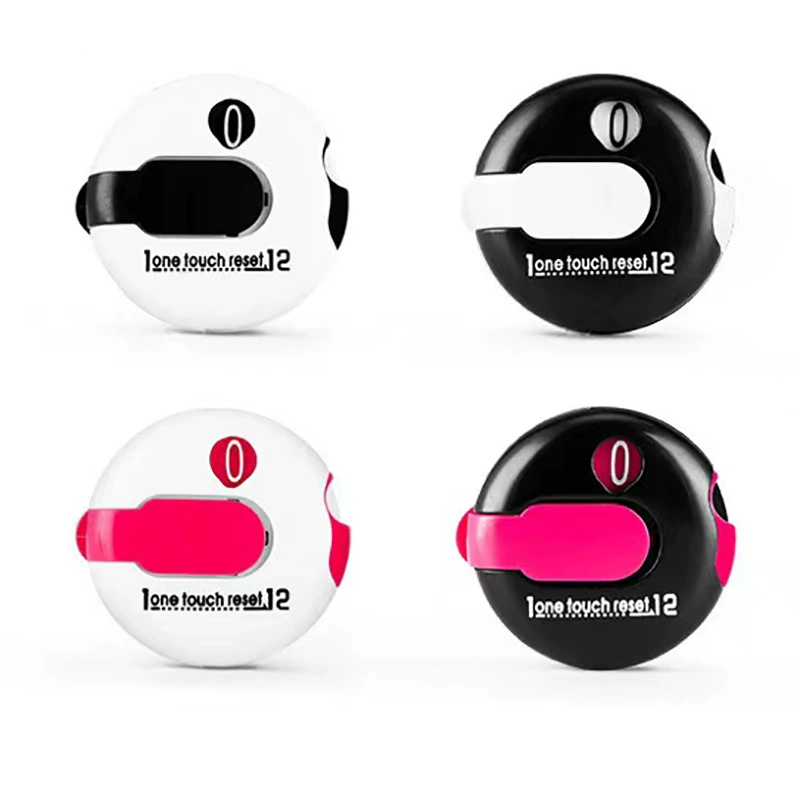
The listing shows combinations involving white, black, pink, green, orange and blue. Assign a reference to each component rather than relying on a general color name.
How to choose the right configuration
01 · Define one complete set
Specify counter, clip/marker and liner quantities separately. Ask for a packed-set photo or sample matching the quotation.
02 · Review operation and attachment
Check the counter range, reset action and the selected attachment on the intended cap or other mounting point. Do not assume every configuration uses the same clip.
03 · Confirm presentation
Decide whether the components are packed together or individually. Check that instructions and artwork correspond to the approved model.
Specifications for this product
| Specification | Current listing |
|---|---|
| Brand | PASSEN |
| Product | Golf hat clip score counter accessory set |
| Material | Plastic |
| Available components | Manual score counter, magnetic hat clip ball marker and golf ball liner |
| Listed color combinations | White/pink, white/black, black/pink, black/white, pink/white, green/white, orange/white and blue/white |
| Listed weight reference | Approx. 4 g per selected accessory; final packed weight depends on configuration |
| Customization | Logo, color combination and packaging |
| Standard MOQ | 200 sets per SKU |
| Customization MOQ | 500 sets for logo, color or packaging |
Dimensions and weights shown here are listing references. Confirm the selected configuration and any fit-critical measurements with the quotation or sample.
Logo, color and packaging options
Custom logo, color or packaging programs start from 500 sets. Use the table to prepare the design brief; the final method, placement and cost are reviewed for the selected configuration.
| Decision | What to specify | What to provide |
|---|---|---|
| Component assortment | Counter, clip/marker and liner options | An itemized list with quantities per set |
| Colors and branding | Color reference for each component | Logo placement and usable area on the selected parts |
| Packing and instructions | Combined set or individual component packing | Contents list, user instructions and packaging artwork |
Where this product fits your program

Club membership packs
Specify a consistent set configuration for the membership program. Use a simple contents list to avoid confusion between counter and marker functions.
Tournament giveaways
Agree on the counter operation and include suitable instructions if required. Match the component colors to the event artwork brief.
Golf accessory retail
Show the exact combination being sold and how the counter is operated. Keep optional accessories distinct from included contents.
From product brief to an agreed order
01 · Define the configuration
Choose the set contents, then list quantities per SKU. Attach the relevant product image or reference so the quotation describes one clear configuration.
02 · Review artwork and sample terms
Confirm logo placement, color references and the sample type required. Record costs, approval steps and requested changes before agreeing on the final specification.
03 · Confirm the order details
Align the quotation with the approved configuration, artwork, packing and inspection requirements. Confirm the production schedule without treating a target arrival date as an automatic commitment.
04 · Confirm packing and dispatch
Review the agreed packing list and shipping arrangement. Make sure the delivery address, carton identification and included items match the purchase requirements.
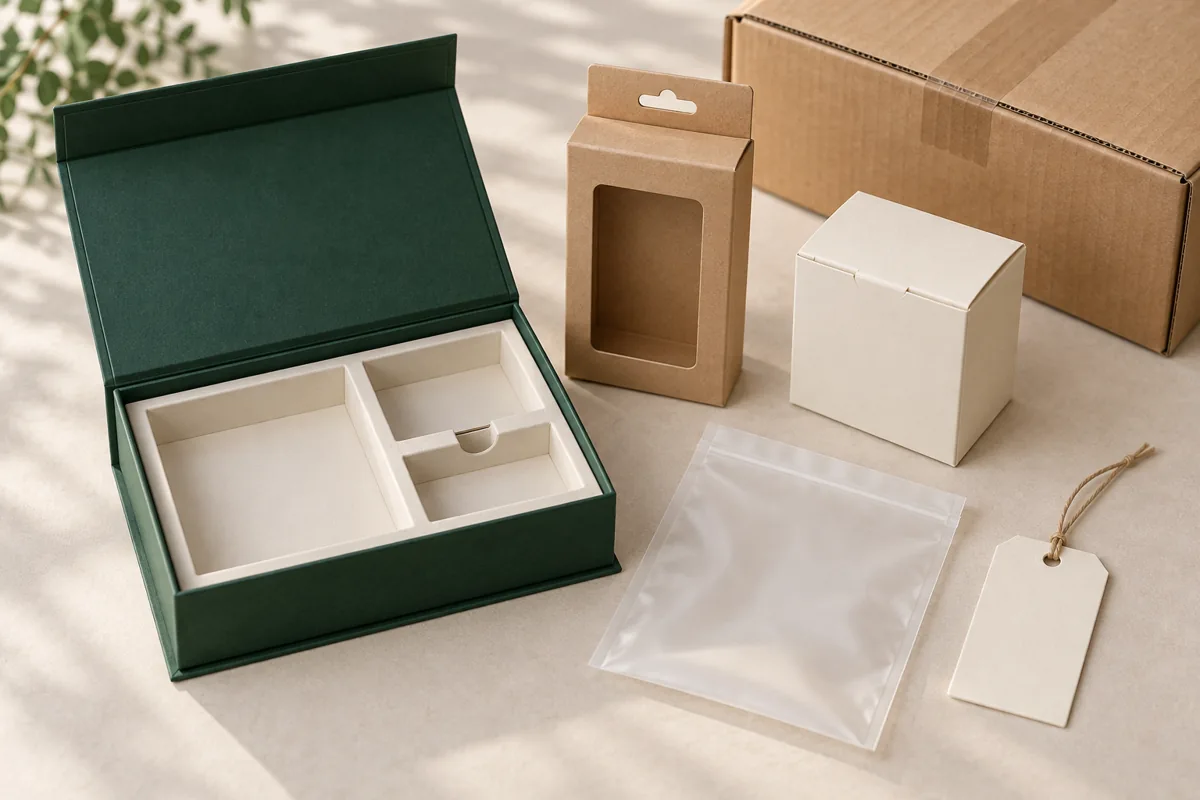
Plan the packaging and delivery
Choose individual presentation, a coordinated gift pack or retail-ready packing around the selected product. Include labels, inserts and carton requirements in the quotation so the approved pack matches your distribution plan.
Individual or retail presentation
Specify how each complete set should be presented. Include label content, barcode requirements and any insert artwork in the packing brief. Confirm the packing sample where presentation is important.
Gift sets and combined programs
When combining this item with other accessories, list every component and confirm the assembled fit. A related product shown below is a separate item unless your quotation expressly includes it.
Transport and delivery information
Provide destination, preferred shipping terms and the required arrival date. Ask for packed weight and carton dimensions for the selected order; product reference weight is not the same as shipping weight.
Sample review and acceptance points
Use the following product-specific points to define the sample review and inspection requirements. Agree on the acceptance criteria for your order; this list is a purchasing guide, not a claim that a particular test report or certification has been supplied.
- Agreed counter range, advancing and reset operation
- Clip fit and magnetic marker retention where included
- Correct component quantities and color combination
- Packing contents and instructions for the selected model
Ready to plan your order?
Send the selected model or set, quantity per SKU, logo, packing, destination and required date.
Frequently asked questions
Are all accessories pictured included in every set?
No fixed universal configuration is stated. Available components include a manual counter, magnetic hat clip ball marker and liner; specify the exact contents of your order.
What is the counting range and how does it reset?
The current specification does not confirm a counting range or reset method. Ask for a demonstration or sample of the selected counter before approving packaging instructions.
What is the standard and custom MOQ?
Standard orders start from 200 sets per SKU. Logo, color or packaging customization starts from 500 sets. List the quantities separately for every configuration; different standard SKUs do not combine to meet the minimum.
What artwork should I send?
Send a clear logo file, placement reference, preferred colors and any packaging artwork. Include dimensions where possible. The suitable branding method and usable area need to be reviewed for the selected product before the layout is approved.
Can I review a sample before bulk ordering?
Request the sample type you need: an existing model for product review or a customized version for artwork and appearance approval. Ask the quotation to state sample charges, shipping and the proposed timing; no universal free-sample policy is assumed.
What packaging options can I request?
Describe individual, retail or gift presentation and specify any labels or inserts. A packaging request is reviewed for the selected product and quantity. Confirm dimensions, contents and packing cost before approving artwork.
How do I get a comparable quotation?
Include this product link, quantity per SKU, configuration, artwork and delivery destination. Ask that the quotation identify currency, counting unit, decoration, packing, sample or setup charges and shipping terms so the total can be assessed consistently.
How is the delivery schedule agreed?
Provide the required arrival date and destination at the inquiry stage. Confirm artwork and sample approval milestones, production readiness and the proposed shipping method separately. The schedule depends on the selected specification and is confirmed with the quotation.
Compare related products
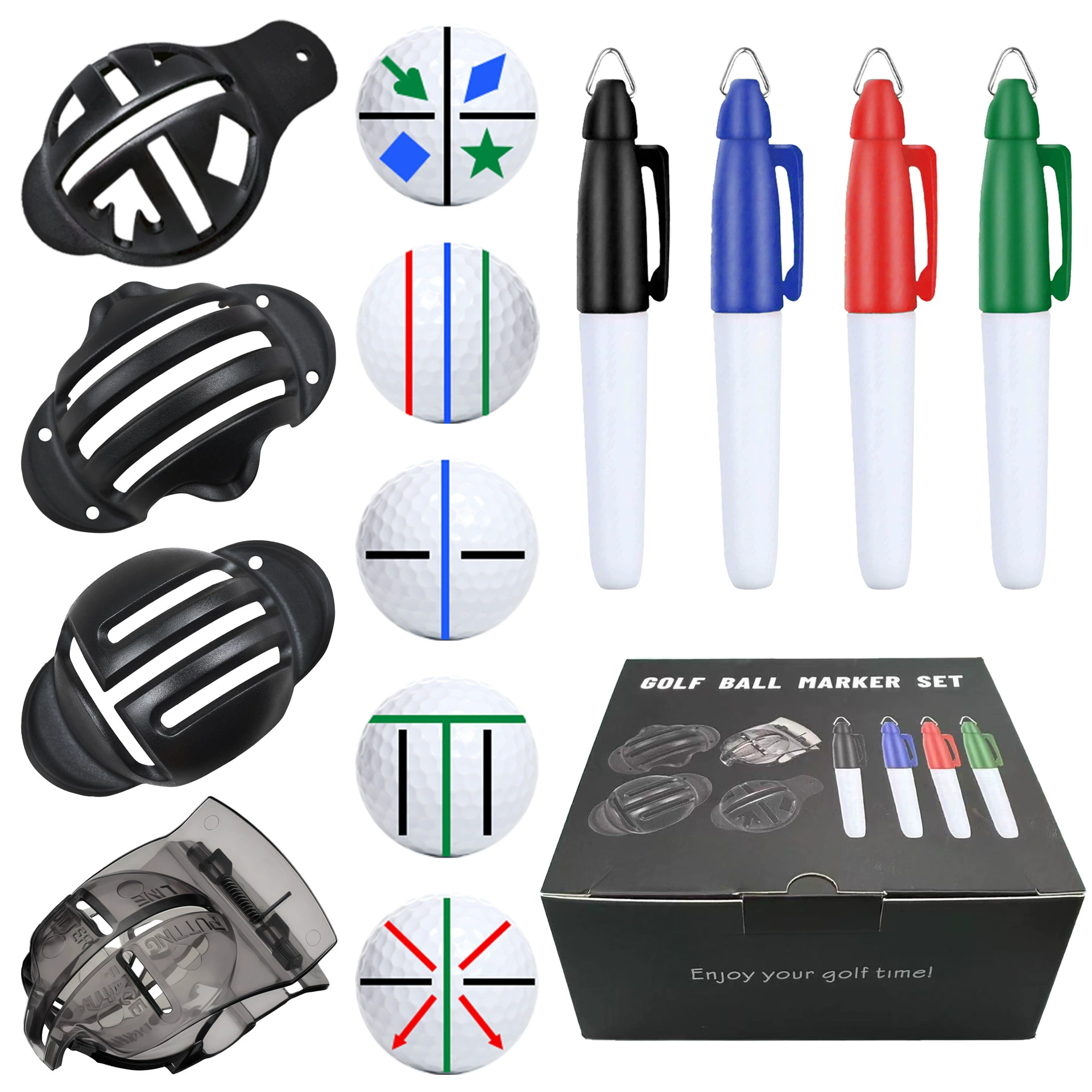
Custom Golf Ball Liner and Marker Set
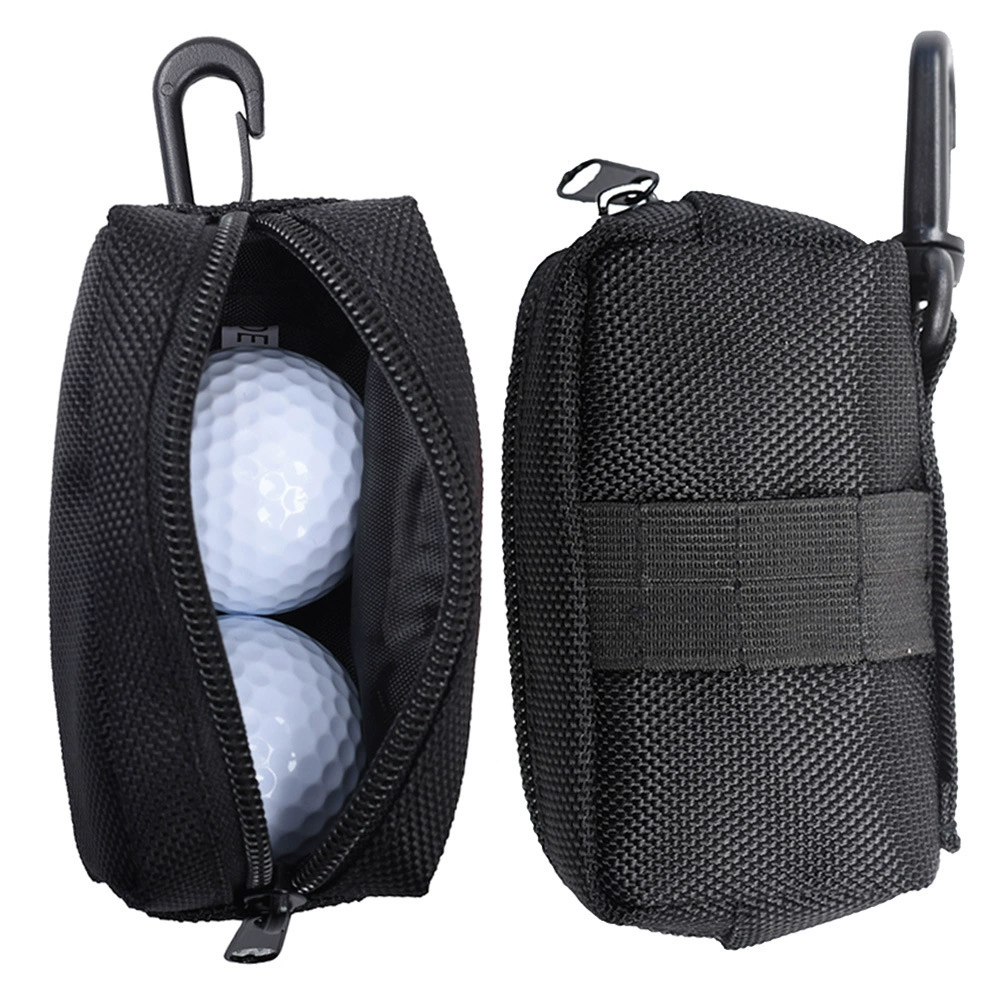
Custom Mini Golf Ball Pouch
Compare the individual specifications and counting units before combining items in one purchasing program.
Request a quotation for your configuration
Send this product link, quantity per SKU, selected options, artwork, packaging brief and delivery destination. Include any sample requirement or target arrival date so the quotation can address the complete order.